• English
  • Afghanistan(AFN Af)
  • Aland lslands(EUR €)
  • Albania(ALL L)
  • Algeria(DZD د.ج)
  • American Samoa(USD $)
  • Andorra(EUR €)
  • Angola(USD $)
  • Anguilla(XCD $)
  • Antarctica(USD $)
  • Antigua and Barbuda(XCD $)
  • Argentina(USD $)
  • Armenia(AMD Դ)
  • Aruba(AWG ƒ)
  • Ascension Island(SHP £)
  • Australia(AUD AU$)
  • Austria(EUR €)
  • Azerbaijan(AZN ман)
  • Bahamas(BSD BSD)
  • Bahrain(BHD .د.ب)
  • Bangladesh(BDT ৳)
  • Barbados(BBD BBD)
  • Belarus(USD $)
  • Belgium(EUR €)
  • Belize(BZD Be)
  • Benin(XOF Fr)
  • Bermuda(BMD BD$)
  • Bhutan(BTN Nu.)
  • Bolivia(BOB Bs.)
  • Bosnia and Herzegovina(BAM КМ)
  • Botswana(BWP P)
  • Bouvet Island(USD $)
  • Brazil(USD $)
  • British Indian Ocean Territory(USD $)
  • Brunei(BND B$)
  • Bulgaria(BGN лв)
  • Burkina Faso(XOF Fr)
  • Burundi(BIF ₣)
  • Cambodia(KHR ៛)
  • Cameroon(XAF ₣)
  • Canada(CAD $)
  • Cape Verde(CVE $)
  • Cayman Islands(KYD $)
  • Central African Republic(XAF ₣)
  • Chad(XAF ₣)
  • Chile(USD $)
  • China(CNY ¥)
  • Christmas Island(AUD AU$)
  • Cocos(Keeling)Islands(AUD AU$)
  • Colombia(USD $)
  • Comoros(KMF Fr)
  • Congo(XAF ₣)
  • Congo(DRC)(CDF ₣)
  • Cook Islands(NZD $)
  • Costa Rica(CRC ₡)
  • Cote d'Ivoire(XOF Fr)
  • Croatia(EUR €)
  • Cyprus(EUR €)
  • Czech Republic(CZK Kč)
  • Denmark(DKK kr)
  • Djibouti(DJF ₣)
  • Dominica(XCD $)
  • Dominican Republic(DOP $)
  • Ecuador(USD $)
  • Egypt(EGP E£)
  • El Salvador(USD $)
  • Equatorial Guinea(XAF ₣)
  • Eritrea(ERN Nfk)
  • Estonia(EUR €)
  • Ethiopia(ETB Br)
  • Falkland Islands(FKP FKP)
  • Faroe Islands(DKK kr)
  • Fiji Islands(FJD FJ$)
  • Finland(EUR €)
  • France(EUR €)
  • French Guiana(EUR €)
  • French Polynesia(XPF ₣)
  • French Southern and Antarctic Lands(EUR €)
  • Gabon(XOF Fr)
  • Gambia(GMD D)
  • Georgia(USD $)
  • Germany(EUR €)
  • Ghana(GHS ₵)
  • Gibraltar(GBP £)
  • Greece(EUR €)
  • Greenland(DKK kr)
  • Grenada(XCD $)
  • Guadeloupe(EUR €)
  • Guam(USD $)
  • Guatemala(GTQ Q)
  • Guernsey(GBP £)
  • Guinea(GNF ₣)
  • Guinea-Bissau(XOF Fr)
  • Guyana(GYD $)
  • Haiti(USD $)
  • Heard Island and McDonald Islands(AUD AU$)
  • Honduras(HNL L)
  • Hong Kong SAR(HKD HK$)
  • Hungary(HUF Ft)
  • Iceland(ISK Kr)
  • India(INR ₹)
  • Indonesia(IDR Rp)
  • Iraq(USD $)
  • Ireland(EUR €)
  • Isle of Man(GBP £)
  • Israel(ILS ₪)
  • Italy(EUR €)
  • Jamaica(JMD $)
  • Japan(JPY ¥)
  • Jersey(GBP £)
  • Jordan(USD $)
  • Kazakhstan(KZT 〒)
  • Kenya(KES Sh)
  • Kiribati(AUD AU$)
  • Korea(KRW ₩)
  • Kuwait(KWD دينار)
  • Kyrgyzstan(KGS С̲)
  • Laos(LAK ₭)
  • Latvia(EUR €)
  • Lebanon(LBP ل.ل)
  • Lesotho(USD $)
  • Liberia(USD $)
  • Libya(USD $)
  • Liechtenstein(CHF ₣)
  • Lithuania(EUR €)
  • Luxembourg(EUR €)
  • Macao SAR(MOP P)
  • Macedonia,Former Yugoslav Republic of(MKD ден)
  • Madagascar(USD $)
  • Malawi(MWK MK)
  • Malaysia(MYR RM)
  • Maldives(MVR ރ.)
  • Mali(XOF Fr)
  • Malta(EUR €)
  • Marshall Islands(USD $)
  • Martinique(EUR €)
  • Mauritania(USD $)
  • Mauritius(MUR ₨)
  • Mayotte(EUR €)
  • Mexico(USD $)
  • Micronesia(USD $)
  • Moldova(MDL L)
  • Monaco(EUR €)
  • Mongolia(MNT ₮)
  • Montenegro(EUR €)
  • Montserrat(XCD $)
  • Morocco(MAD د.م.)
  • Mozambique(USD $)
  • Myanmar(MMK K)
  • Namibia(USD $)
  • Nauru(AUD AU$)
  • Nepal(NPR ₨)
  • Netherlands(EUR €)
  • Netherlands Antilles(USD $)
  • New Caledonia(XPF ₣)
  • New Zealand(NZD $)
  • Nicaragua(NIO C$)
  • Niger(XOF Fr)
  • Nigeria(NGN ₦)
  • Niue(NZD $)
  • Norfolk Island(AUD AU$)
  • Northern Mariana Islands(USD $)
  • Norway(USD $)
  • Oman(OMR ر.ع.)
  • Pakistan(PKR ₨)
  • Palau(USD $)
  • Palestinian Authority(ILS ₪)
  • Panama(USD $)
  • Papua New Guinea(PGK K)
  • Paraguay(PYG ₲)
  • Peru(PEN S/)
  • Philippines(PHP ₱)
  • Pitcairn Islands(NZD $)
  • Poland(PLN zł)
  • Portugal(EUR €)
  • Puerto Rico(USD $)
  • Qatar(QAR ر.ق)
  • Reunion(EUR €)
  • Romania(RON L)
  • Russia(USD $)
  • Rwanda(RWF ₣)
  • Samoa(WST T)
  • San Marino(EUR €)
  • Sao Tome and Principe(USD $)
  • Saudi Arabia(SAR ر.س)
  • Senegal(XOF Fr)
  • Serbia(RSD din)
  • Seychelles(USD $)
  • Sierra Leone(SLL Le)
  • Singapore(SGD S$)
  • Slovakia(EUR €)
  • Slovenia(EUR €)
  • Solomon Islands(SBD Si$)
  • Somalia(SOS Sh)
  • South Africa(USD $)
  • South Georgia and South Sandwich Islands(GBP £)
  • Spain(EUR €)
  • Sri Lanka(LKR Rs)
  • St.Helena(SHP £)
  • St.Kitts and Nevis(XCD $)
  • St.Lucia(XCD $)
  • St. Martin (French part)(EUR €)
  • St.Pierre and Miquelon(EUR €)
  • St.Vincent and the Grenadines(XCD $)
  • Sudan(SDG ج.س.)
  • Suriname(USD $)
  • Svalbard and Jan Mayen(USD $)
  • Swaziland(USD $)
  • Sweden(SEK kr)
  • Switzerland(CHF ₣)
  • Taiwan(TWD NT$)
  • Tajikistan(TJS ЅМ)
  • Tanzania(TZS Sh)
  • Thailand(THB ฿)
  • Timor-Leste(USD $)
  • Togo(XOF Fr)
  • Tokelau(NZD $)
  • Tonga(TOP T$)
  • Trinidad and Tobago(TTD TTD)
  • Tristan da Cunha(GBP £)
  • Tunisia(USD $)
  • Turkey(USD $)
  • Turkmenistan(TMT m)
  • Turks and Caicos Islands(USD $)
  • Tuvalu(AUD AU$)
  • Uganda(UGX Sh)
  • Ukraine(UAH ₴)
  • United Arab Emirates(AED د.إ)
  • United Kingdom(GBP £)
  • United States(USD $)
  • United States Minor Outlying Islands(USD $)
  • Uruguay(UYU $)
  • Uzbekistan(UZS лв)
  • Vanuatu(VUV Vt)
  • Vatican City(EUR €)
  • Venezuela(USD $)
  • Vietnam(VND ₫)
  • Virgin Islands(USD $)
  • Virgin Islands,British(USD $)
  • Wallis and Futuna(XPF ₣)
  • Western Sahara(MAD د.م.)
  • Yemen(YER ﷼)
  • Zambia(USD $)
  • Zimbabwe(USD $)
/

4XTRON PS5 A4 Operation Guide


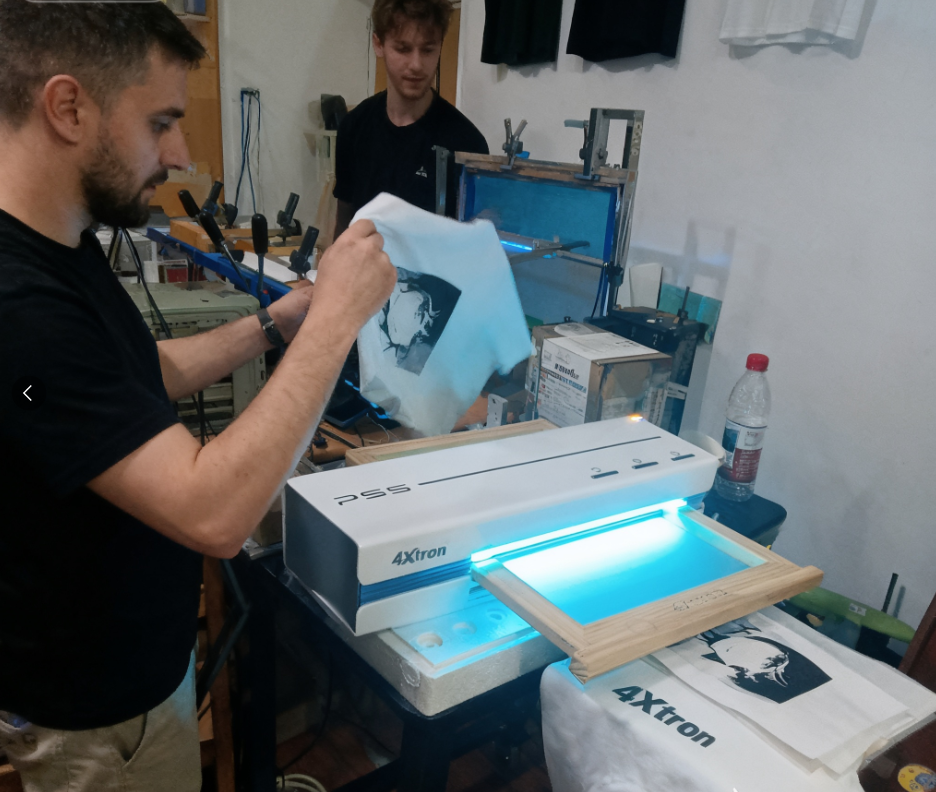
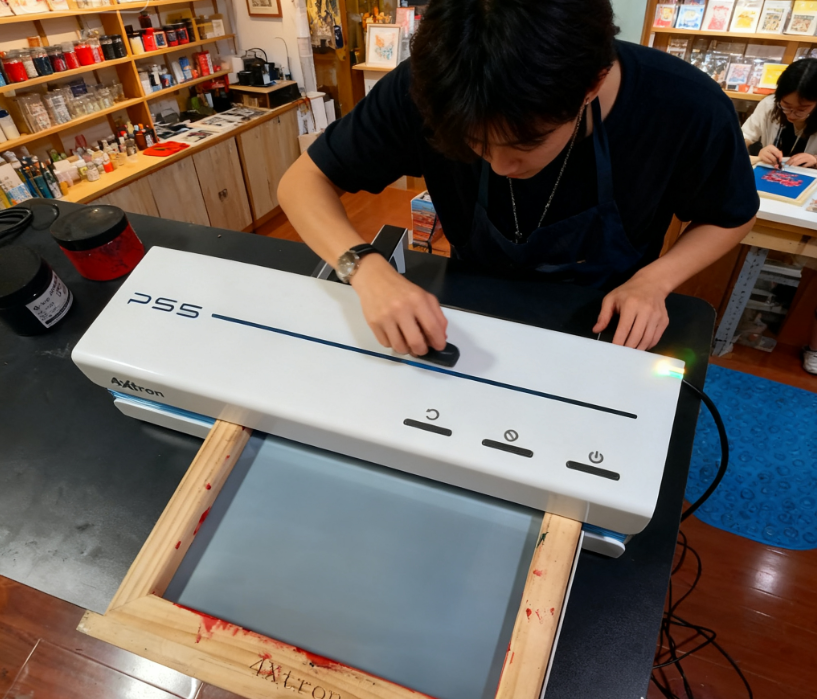
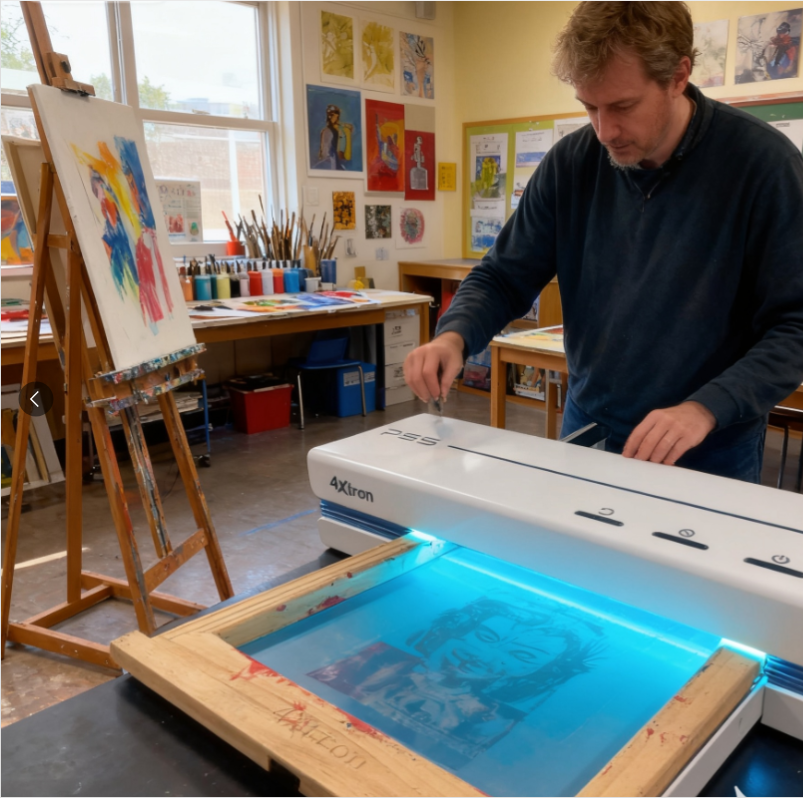
This 4XTRON PS5 A4 Operation Guide shows you how to set up the device and make your first ready-to-print screen stencil. Follow the video and steps below to prepare the mesh frame, connect USB printing, and complete plate making safely.

Prepare tools
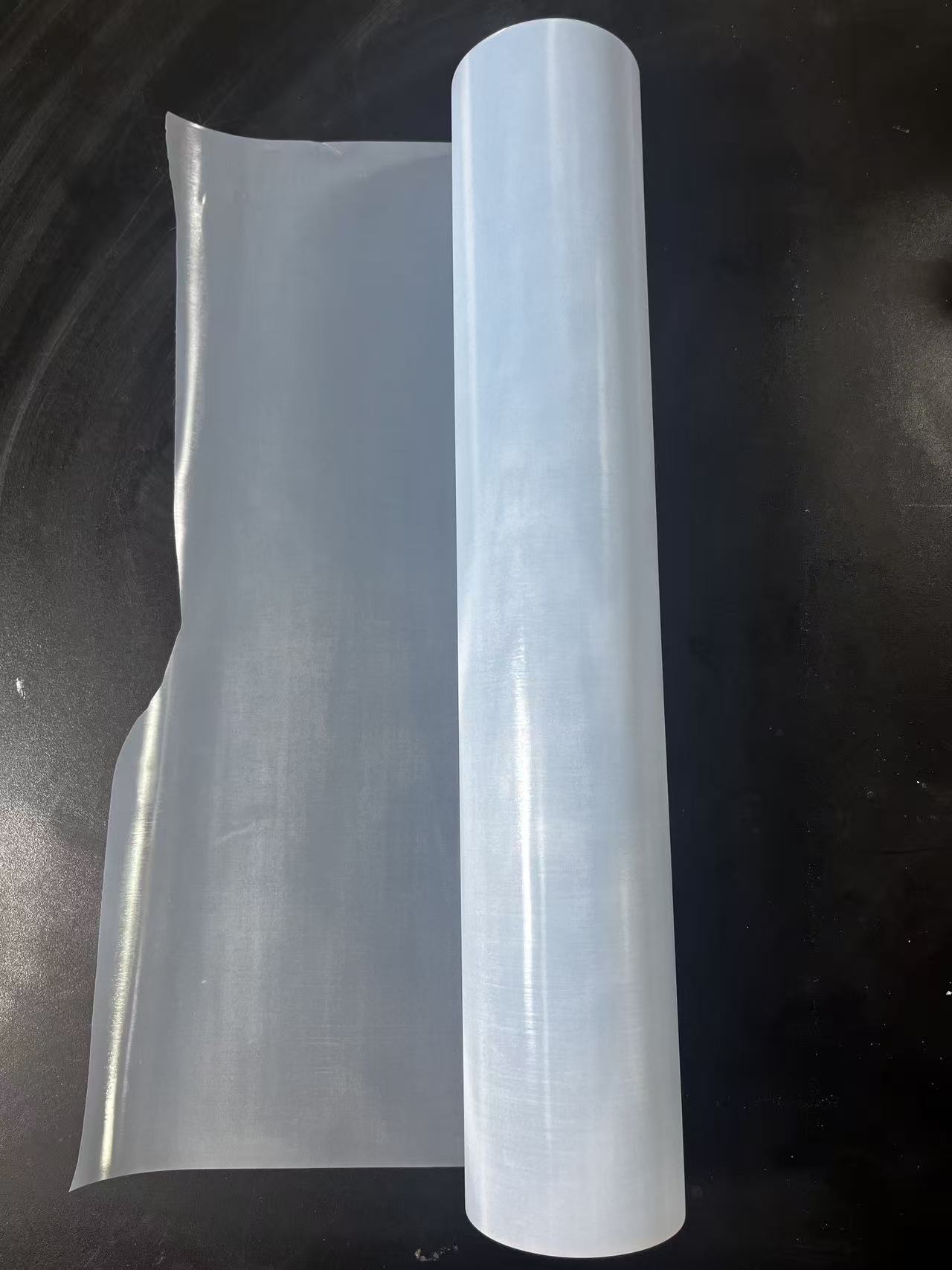
1:4XTRON Stencil Master Roll PS5 A4 
2:PS5 a4 Screen Making Start-up kit/120mesh
3:PS5 A4 SILK SCREEN FRAME : 1 PIECE
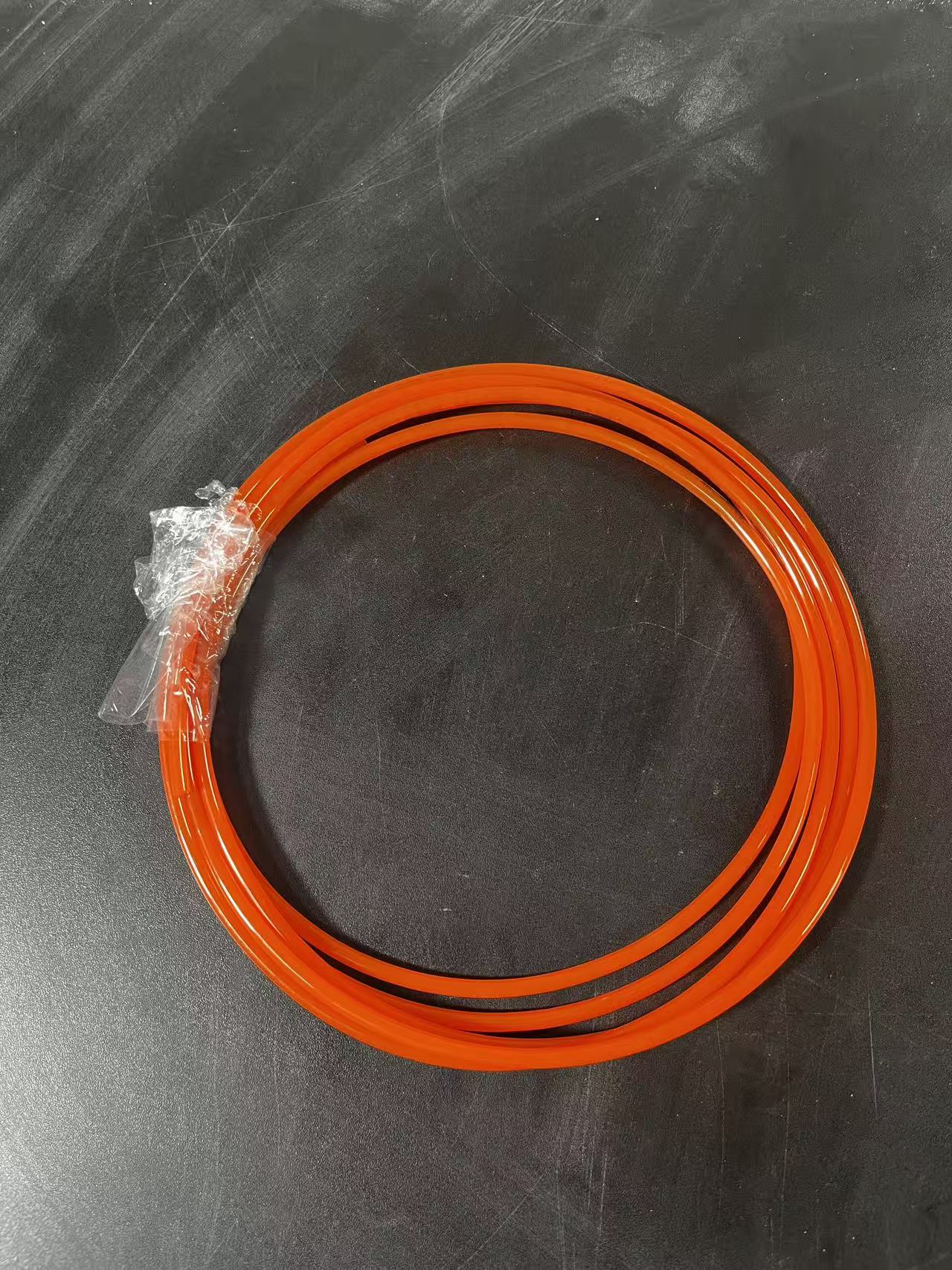
4:PS5 A4 DEDICATED SEALING STRIP : 4 PIECES/PER SCREEN FRAME
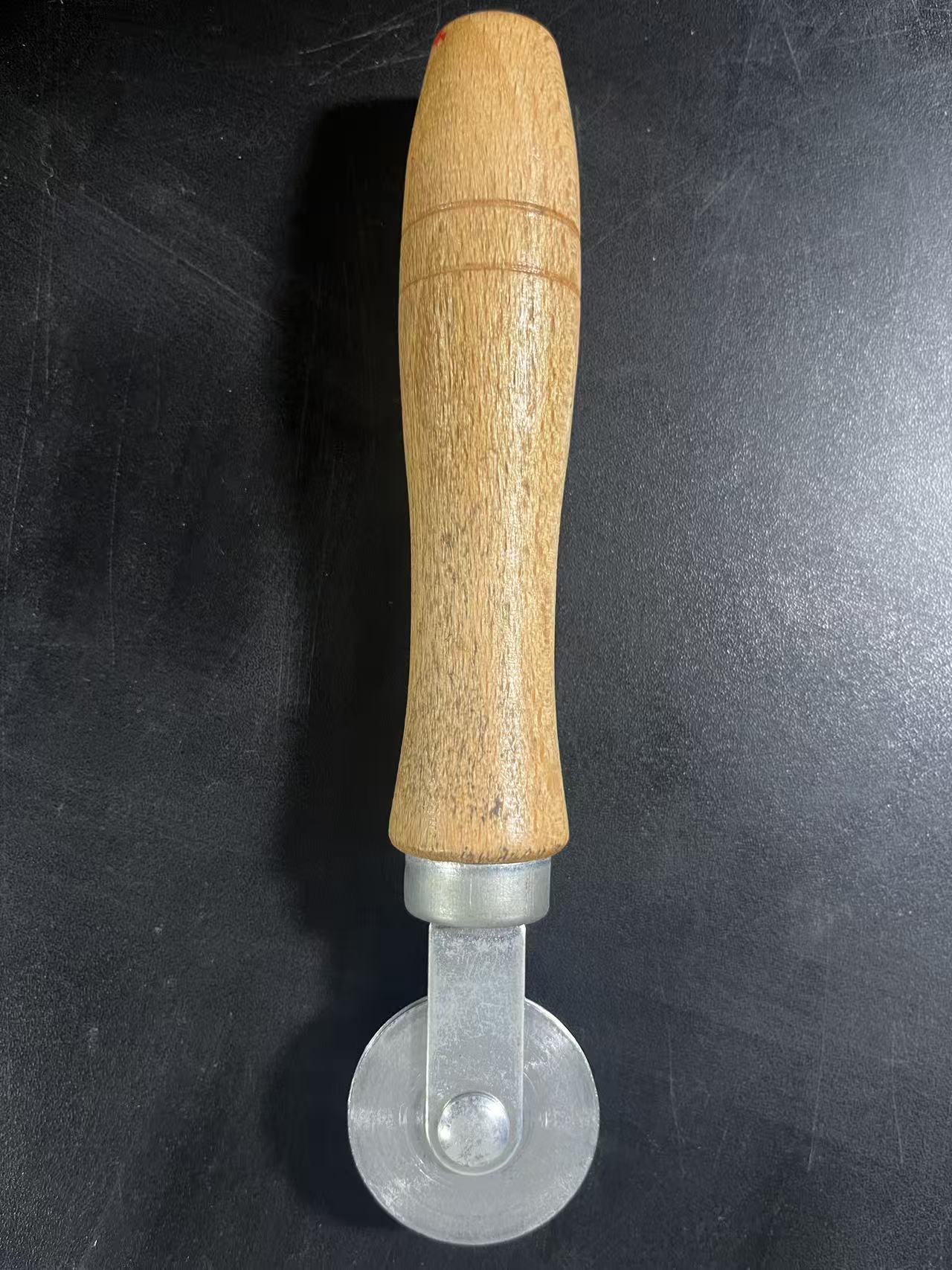
5:SEALING STRIP ROLLER TOOL :1 PIECE
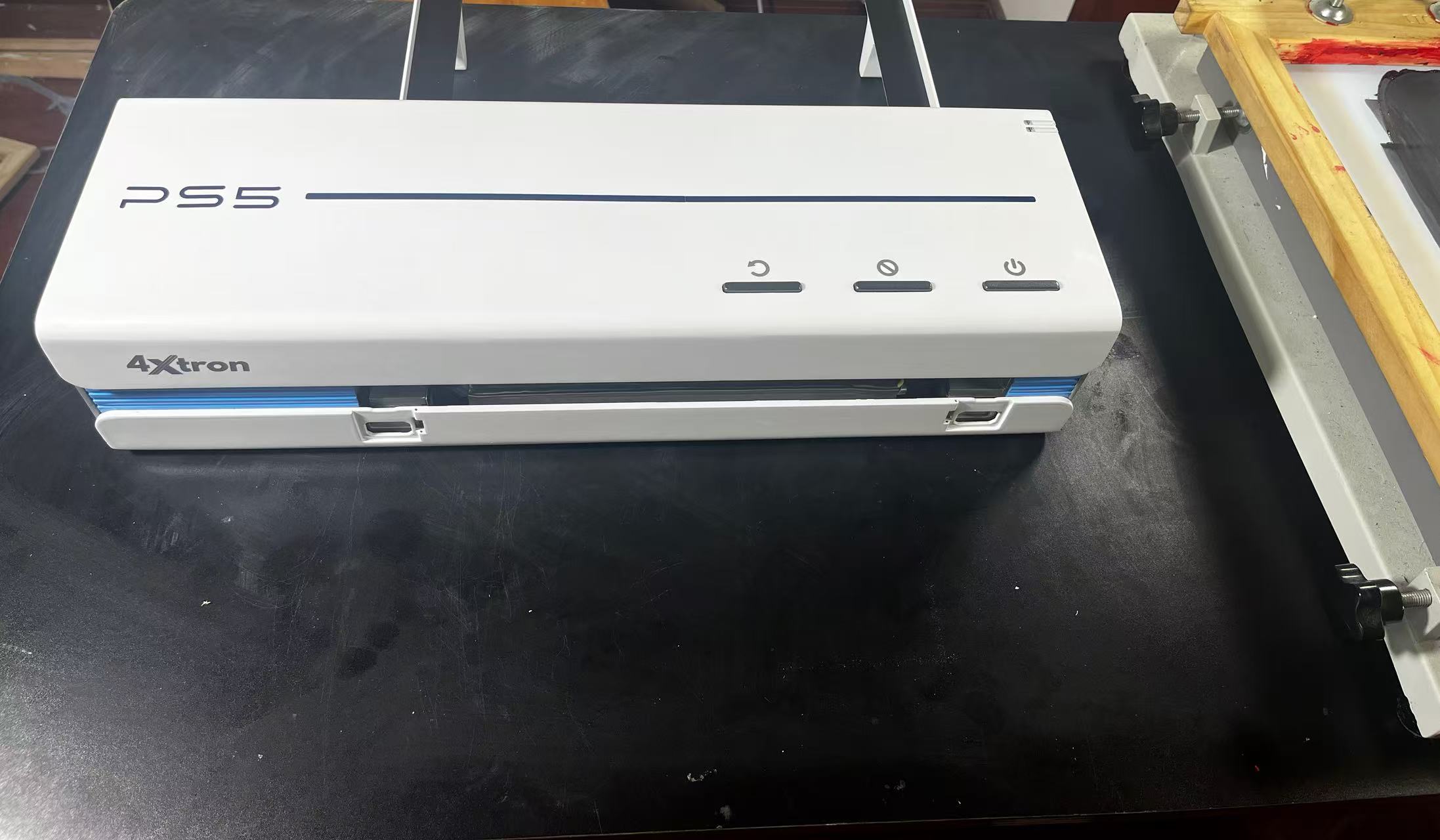
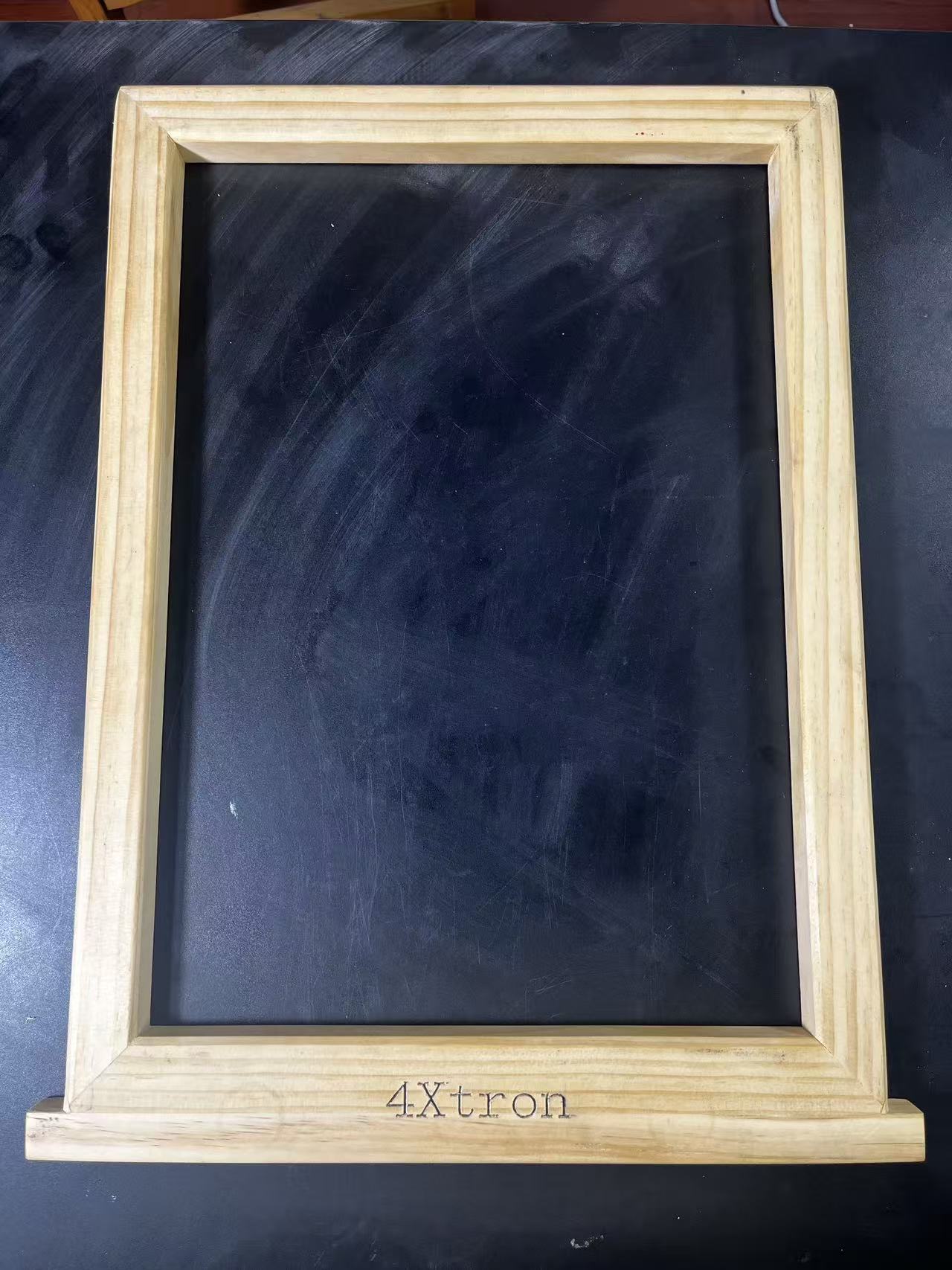
PS5 Complete Sets

The first step is to paste the screen.
Attention: DEDICATED SEALING STRIP must be tightly pressed into the SILK SCREEN FRAME gap with SEALING STRIP ROLLER TOOL, so that our wire mesh tension can achieve the best effect
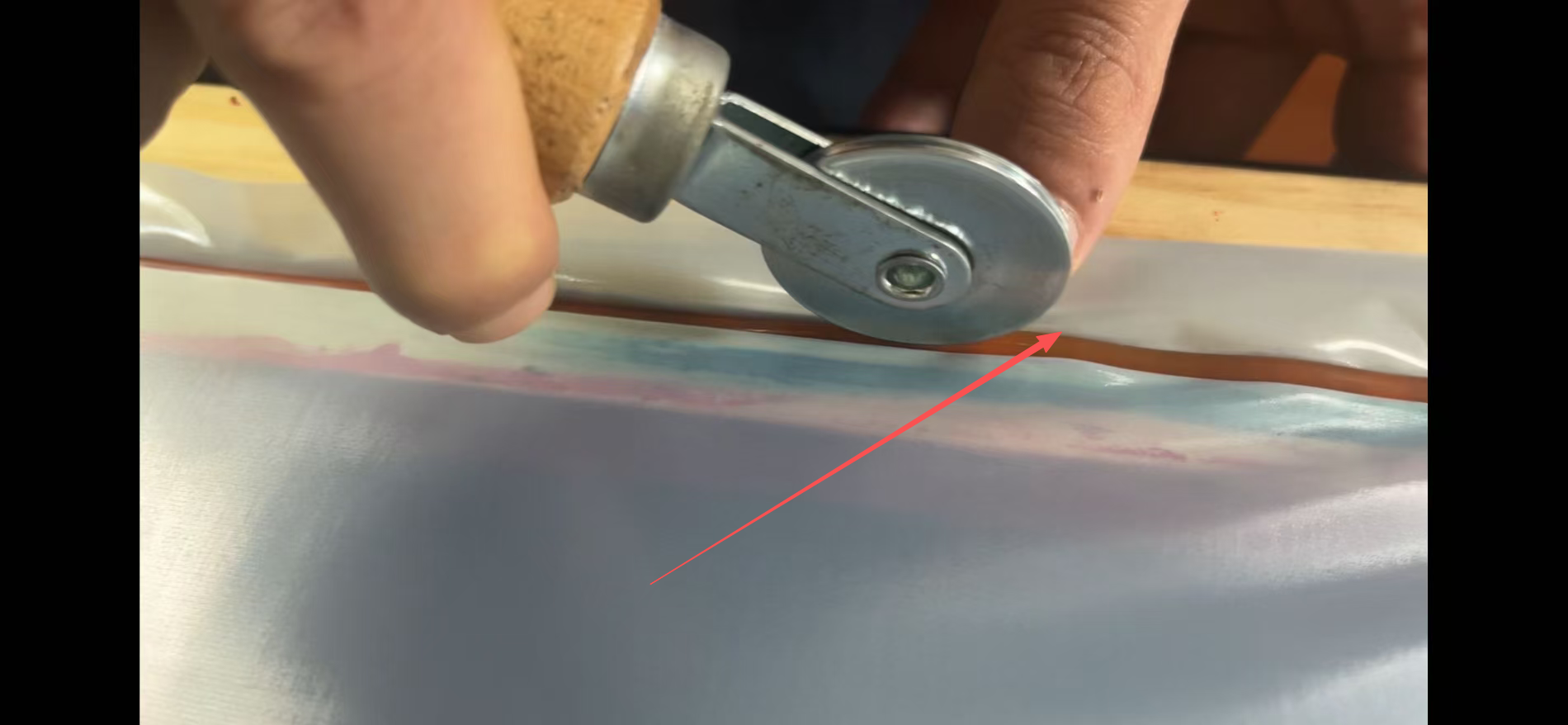
Step 2: Cut off any consumables that exceed the screen frame of the pasted screen using a utility knife
Caution: Failure to crop may cause device lag during printing and may result in frame loss risk
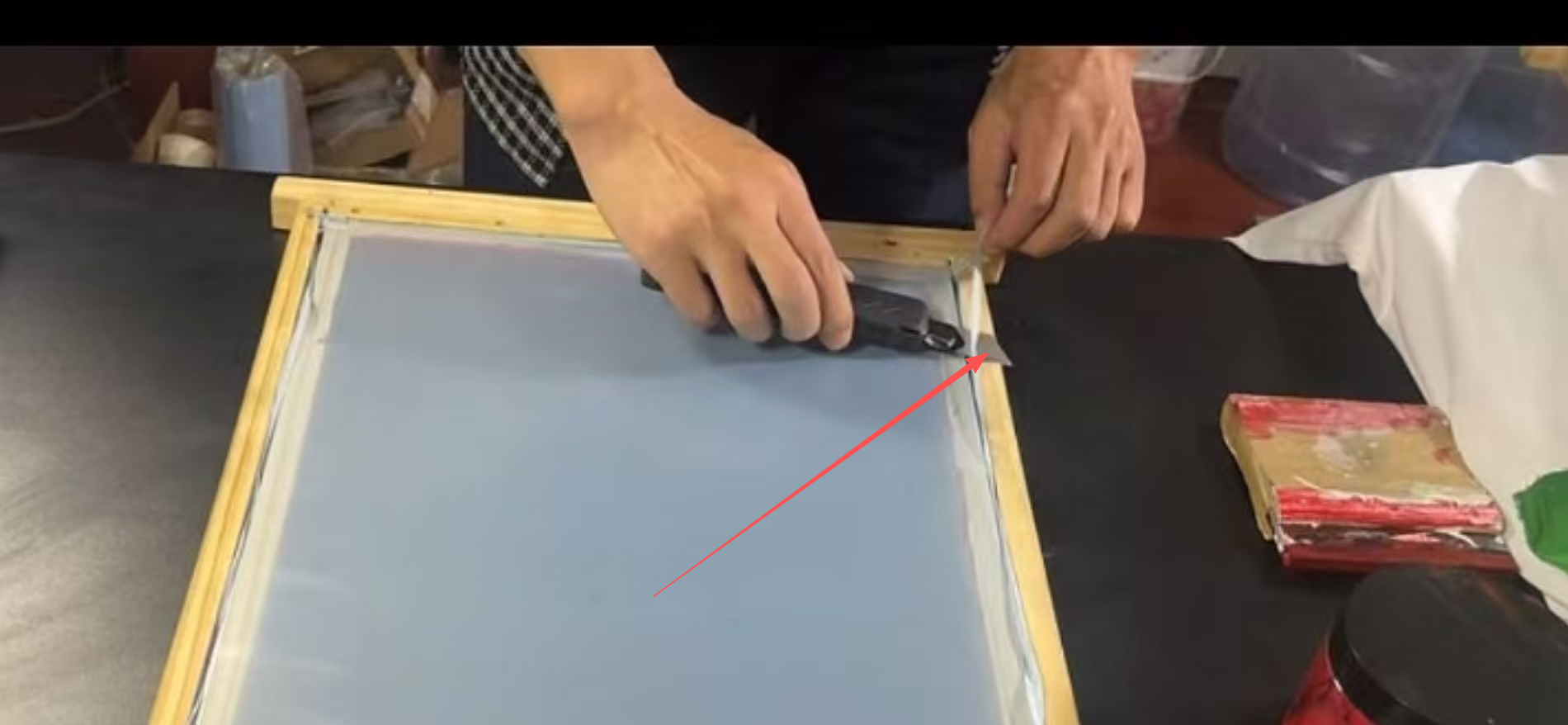
So we can get a perfect screen mesh
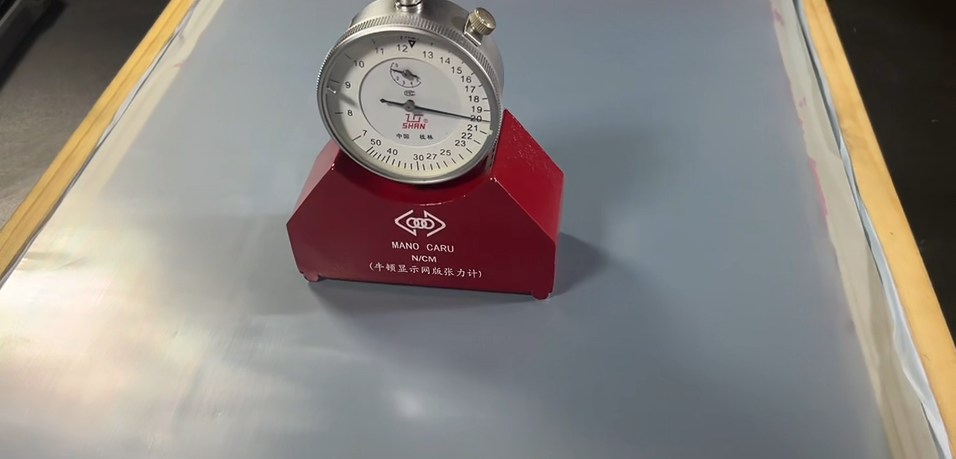
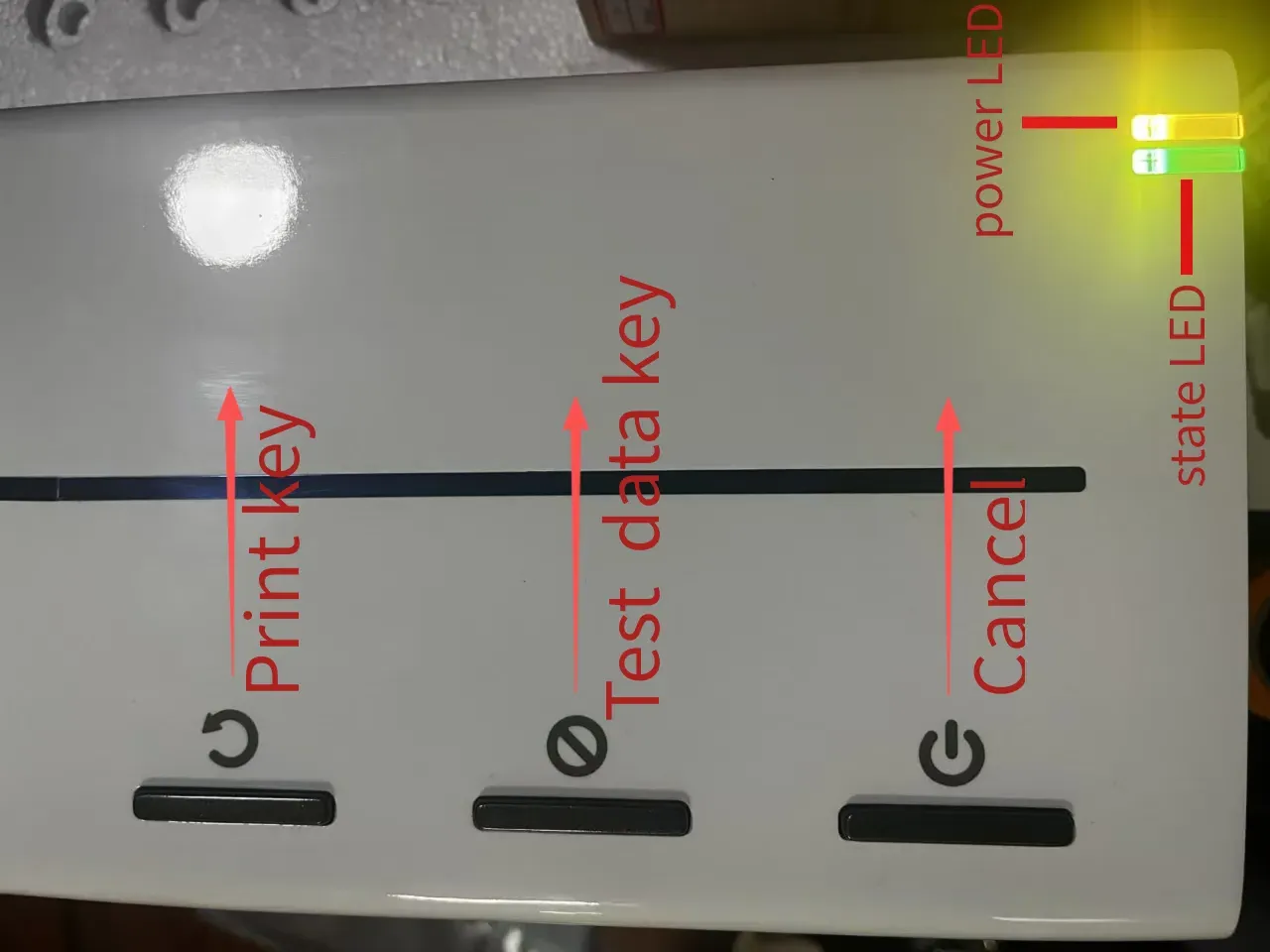
Step 3: Operating interface
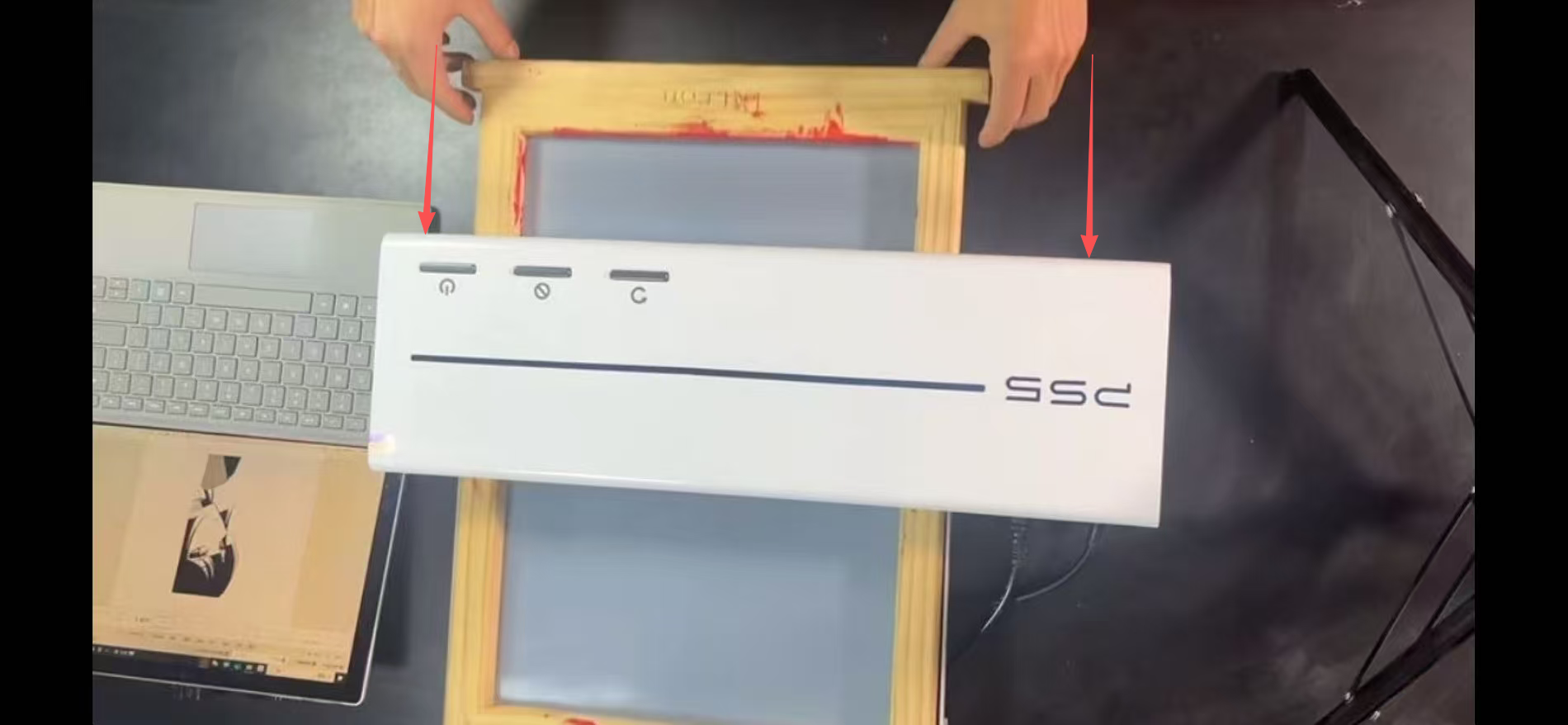
Step 4: Place the prepared screen mesh into the printer
Attention: The screen must be pushed towards the bottom of the device.
Step 5: Connect the USB to the computer and print the desired layer with just one click

Attention: Keep the USB connection in good condition, turn on the device power, and confirm that the driver printing program we provide is installed. Using the image software you are familiar with, press the print button to transfer the image you want to print to the device. If the transfer is successful, you will hear a beep from the device and the status indicator light on the device will turn purple and breathing. Please ensure that your wire mesh frame is correctly inserted into the device, then press the print button on the device. At this point, the device will enter printing mode, and you will see the status indicator light flashing rapidly and hear the device making mechanical movement sounds. Please be patient and wait.
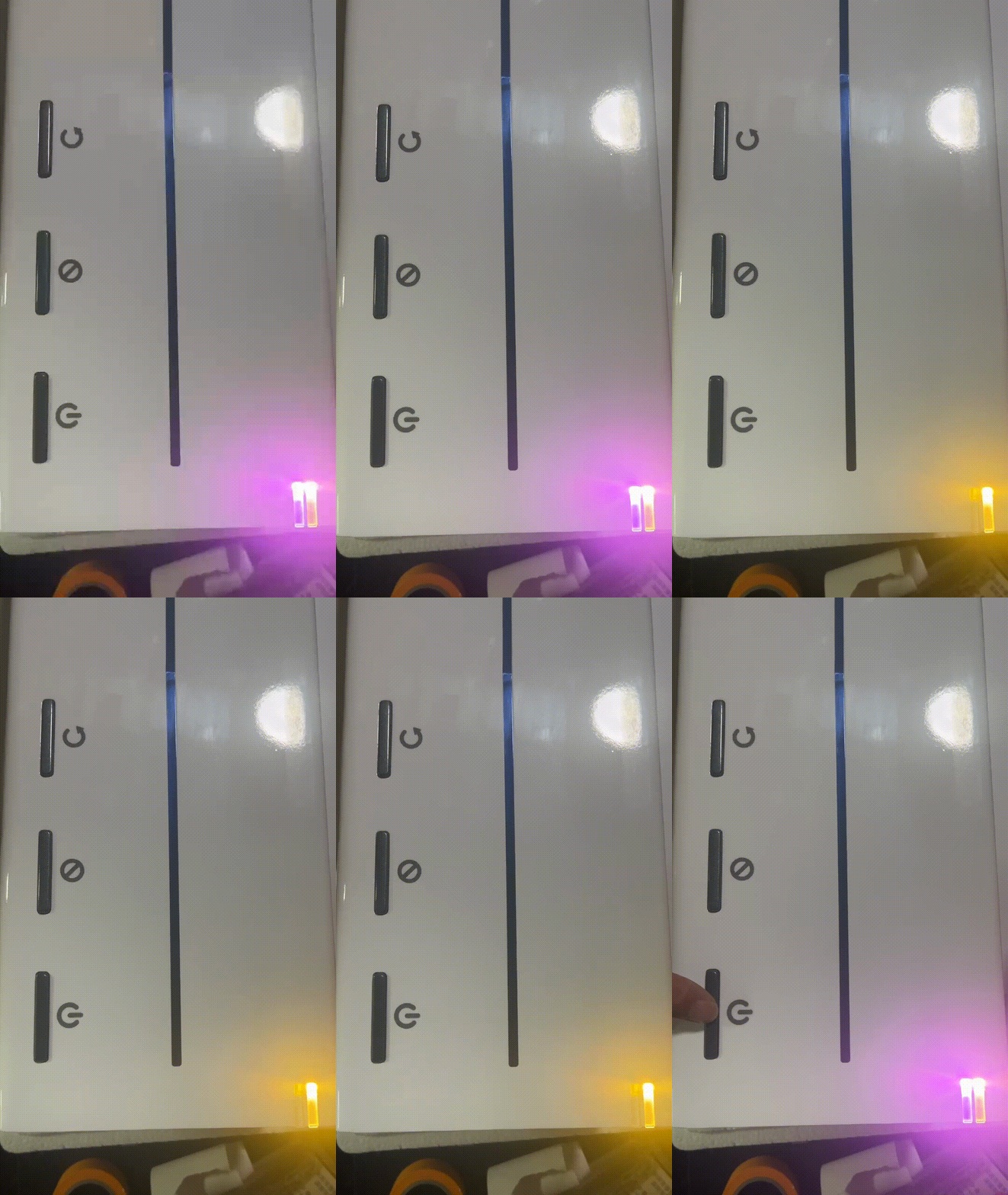
                 Fast flashing status (printing in progress)
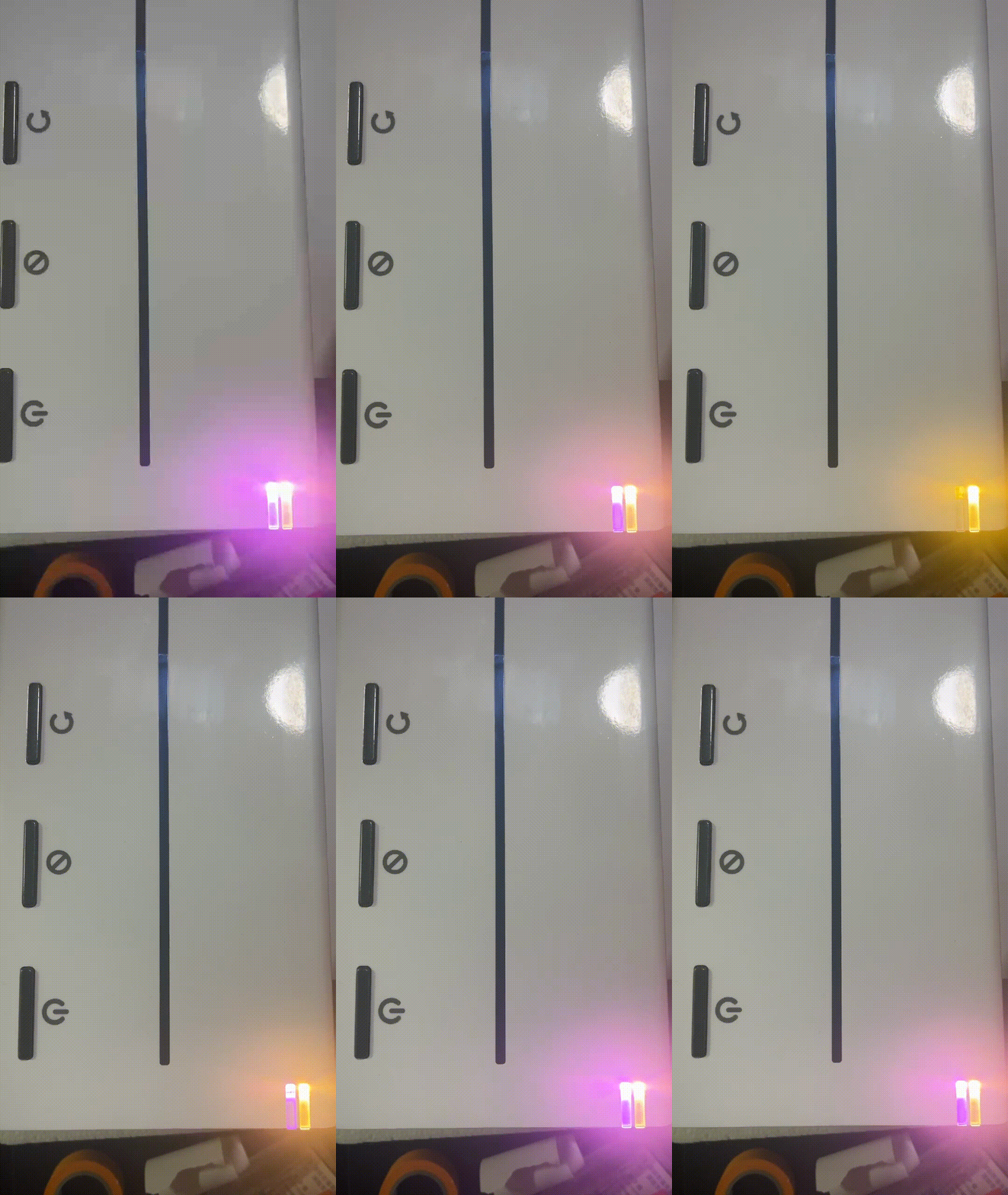
            Respiratory status (data ready)

If you see abnormal indicator lights, printing errors, or need cleaning instructions, read: Function and Precautions

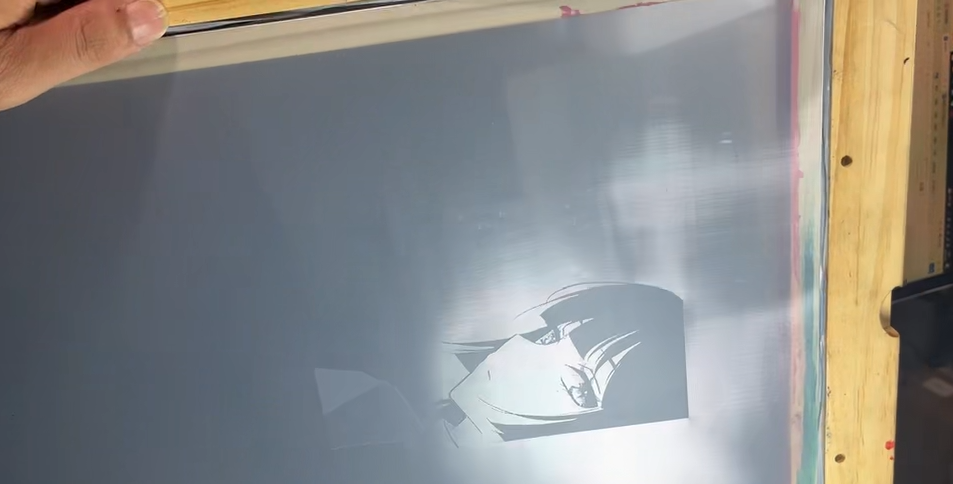
Step 5: Successful plate making! Let's start your printing journey!